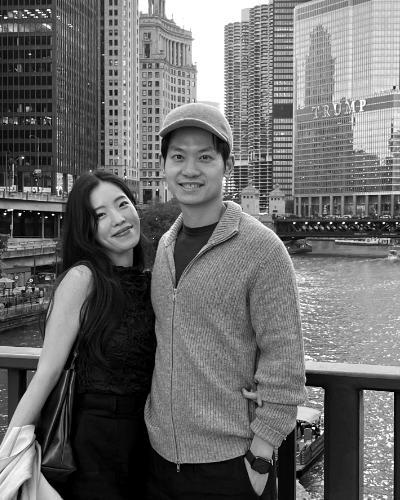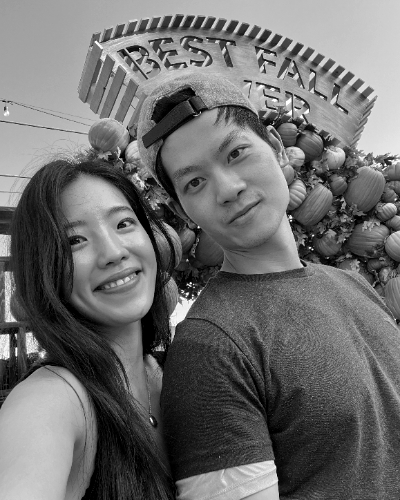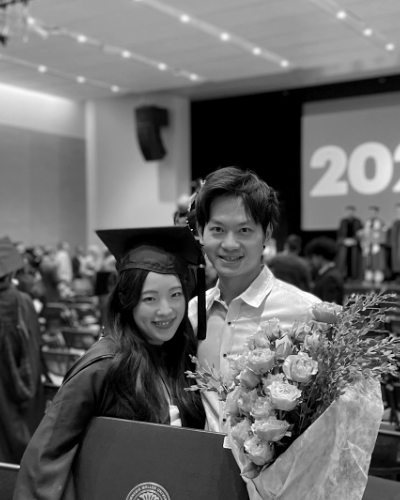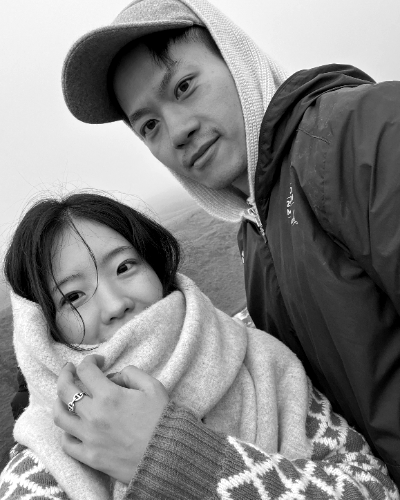
// wedding-sections.jsx
// All section components (Hero, OurStory, TheBigDay, TravelStay, ThingsToDo,
// Registry, FAQs, RSVP, Footer) and small helpers.

const { useState, useEffect, useRef, useMemo } = React;

// ─────────────────────────────────────────────────────────────
// Helpers
// ─────────────────────────────────────────────────────────────
function Monogram({ size = "mini", color }) {
  if (size === "mini") {
    return (
      <a href="#top" className="monogram-mini" aria-label="M&J — Home">
        <img src="uploads/Monogram.png" alt="M&J" className="monogram-mini-img" />
      </a>);

  }
  return (
    <div className="monogram-oval" style={{ fontSize: "25px" }}>
      <span className="monogram-oval-text">
        <span className="m">M</span>
        <span className="j">J</span>
      </span>
    </div>);

}

function SectionHeader({ eyebrow, title, subtitle, color }) {
  return (
    <div className="section-header">
      <div className="section-header-label" style={{ ...(color ? { color } : null), fontWeight: "400", textAlign: "center", fontSize: "10px" }}>{title}</div>
      <div className="section-header-rule" style={{ ...(color ? { background: color } : null), height: "1px", width: "8px" }} />
      {subtitle &&
      <div style={{ marginTop: 18, fontFamily: "var(--f-serif)", fontStyle: "italic", color: "var(--ink-1)", maxWidth: 540, marginLeft: "auto", marginRight: "auto", fontSize: "20px", lineHeight: "1.3" }}>
          {subtitle}
        </div>
      }
    </div>);

}

function renderDesc(text) {
  return String(text).split(/(\n|\{d\}|\{m\})/g).map((seg, i) => {
    if (seg === "\n" || seg === "{d}")
    return <React.Fragment key={i}><br className="desktop-br" />{" "}</React.Fragment>;
    if (seg === "{m}") return <br key={i} className="mobile-br" />;
    return seg;
  });
}

function SectionDisplayTitle({ children }) {
  return <h2 className="section-display-title" style={{ letterSpacing: "-1px", fontSize: "50px", fontWeight: "400", fontFamily: "\"PP Editorial New\"", margin: "0px 0px 41px", color: "rgb(5, 5, 5)" }}>{children}</h2>;
}

// ─────────────────────────────────────────────────────────────
// Countdown to wedding
// ─────────────────────────────────────────────────────────────
function useCountdown(target) {
  const [now, setNow] = useState(() => Date.now());
  useEffect(() => {
    const id = setInterval(() => setNow(Date.now()), 60_000);
    return () => clearInterval(id);
  }, []);
  const diff = Math.max(0, target - now);
  const days = Math.floor(diff / (1000 * 60 * 60 * 24));
  const hours = Math.floor(diff / (1000 * 60 * 60) % 24);
  const minutes = Math.floor(diff / (1000 * 60) % 60);
  return { days, hours, minutes };
}

// ─────────────────────────────────────────────────────────────
// Navigation
// ─────────────────────────────────────────────────────────────
function Nav({ activeSection }) {
  const [open, setOpen] = useState(false);
  const links = [
  ["story", "Our Story"],
  ["bigday", "The Big Day"],
  ["travel", "Travel & Stay"],
  ["things", "Things to Do"],
  ["registry", "Registry"],
  ["faqs", "FAQs"]];

  return (
    <nav className="nav-bar" id="nav-bar">
      <div className="nav-inner">
        <div className="nav-mono-col" style={{ height: "80px" }}>
          <Monogram />
          <div className={"nav-links" + (open ? " open" : "")} style={{ letterSpacing: "0px", fontSize: "15px", textAlign: "center", height: "70px" }}>
            {links.map(([id, label]) =>
            <a
              key={id}
              href={`#${id}`}
              className={"nav-link" + (activeSection === id ? " active" : "")}
              onClick={() => setOpen(false)} style={{ letterSpacing: "0px", fontWeight: "500" }}>
              
                {label}
              </a>
            )}
          </div>
        </div>
        <div className="nav-rsvp-col">
          <button
            className={"nav-menu-btn" + (open ? " is-open" : "")}
            onClick={() => setOpen((o) => !o)}
            aria-label="Menu"
            aria-expanded={open}>
            <span className="nav-menu-icon"><span></span><span></span><span></span></span>
          </button>
          <a href="#rsvp" className="nav-rsvp" onClick={() => setOpen(false)} style={{ borderRadius: "100px", fontWeight: "200", lineHeight: "0.5", borderWidth: "0.5px", borderStyle: "solid", margin: "0px", padding: "13px 20px", letterSpacing: "1px" }}>RSVP</a>
        </div>
      </div>
    </nav>);

}

// ─────────────────────────────────────────────────────────────
// Hero
// ─────────────────────────────────────────────────────────────
function Hero({ showCountdown = true }) {
  const target = useMemo(() => new Date("2026-10-10T16:30:00-07:00").getTime(), []);
  const { days, hours, minutes } = useCountdown(target);
  return (
    <section className="hero" id="top" data-screen-label="Hero">
      <div className="hero-names hero-names-image">
        <img src="uploads/Hero-Page.png" alt="The Wedding — Mia & Joe" className="hero-names-img" />
      </div>
      <div className="hero-date" style={{ fontFamily: "\"PP Editorial New\"", fontSize: "30px", lineHeight: "1", fontWeight: "400", color: "rgb(5, 5, 5)" }}>October 10, 2026</div>
      <div className="hero-location" style={{ letterSpacing: "0.5px", fontWeight: "400", color: "rgb(5, 5, 5)" }}>The Estate Yountville, Yountville, CA</div>
      {showCountdown &&
      <div className="hero-countdown" style={{ fontSize: "6px", gap: "5px", flexDirection: "row", height: "27px" }}>
          <CountItem n={days} l="Days" />
          <span className="hero-countdown-colon" style={{ fontSize: "20px" }}>:</span>
          <CountItem n={hours} l="Hours" />
          <span className="hero-countdown-colon" style={{ fontSize: "20px" }}>:</span>
          <CountItem n={minutes} l="Min" />
        </div>
      }
      <a href="#rsvp" className="hero-rsvp-pill" style={{ lineHeight: "1", fontSize: "11px", padding: "10px 20px", letterSpacing: "1px" }}>RSVP</a>
    </section>);

}

function CountItem({ n, l }) {
  return (
    <div className="hero-countdown-item" style={{ gap: "5px", color: "rgb(57, 27, 23)" }}>
      <div className="hero-countdown-num" style={{ fontFamily: "\"PP Editorial New\"", fontSize: "30px", color: "rgb(57, 27, 23)", fontWeight: "200" }}>{String(n).padStart(2, "0")}</div>
      <div className="hero-countdown-lbl" style={{ fontSize: "7px", width: "26px", color: "rgb(104, 45, 37)" }}>{l}</div>
    </div>);

}

// ─────────────────────────────────────────────────────────────
// Our Story
// ─────────────────────────────────────────────────────────────
function OurStory() {
  return (
    <section id="story" data-screen-label="Our Story">
      <div className="container">
        <SectionDisplayTitle>Our Story</SectionDisplayTitle>

        <div className="story-body" style={{ fontSize: "20px", maxWidth: "100%", lineHeight: "1.3", color: "#3D3C3A", fontWeight: "300", width: "780px" }}>
          <p>We first met on July 7th last year, on Chilseok, the Korean legend of two lovers who reunite across the Milky Way. Mia brought cherries and crackers, and Joe brought his favorite Napa Cabernet, Duckhorn. We only found out later that Duckhorn is named after the mandarin duck, which in Korea is a symbol of devoted, lifelong love.</p>
          <p>The coincidences didn't stop there. A few weeks later, Joe showed up to help Mia move wearing a cap with "412" on it. It's Pittsburgh's area code, but it's also Mia's birthday, April 12th. It started to feel less like coincidence and more like we were exactly where we were meant to be.</p>
          <p>After that came cooking at home, slow afternoons on the golf course, weekend trips to Lake Erie, and bigger adventures in Iceland and Taiwan. Looking back, none of it was ever really small.</p>
          <p>On October 10th, 2026, we'll begin our next chapter in Napa Valley. We come from different worlds, and we want to keep honoring both as we build something that's ours.
We'd love for you to be there.</p>
        </div>
        <div className="story-film">
          <div className="film-strip-h film-strip-horiz">
            <div className="film-frames-h">
              <div className="film-frame"><img src="uploads/story-film-1.jpg" alt="Mia and Joe" /></div>
              <div className="film-frame"><img src="uploads/story-film-2.jpg" alt="Mia and Joe" /></div>
              <div className="film-frame"><img src="uploads/story-film-5.jpg" alt="Mia and Joe" /></div>
            </div>
          </div>
          <div className="film-strip-v film-strip-vert">
            <div className="film-frames-v">
              <div className="film-frame"><img src="uploads/story-film-4.jpg" alt="Mia and Joe" /></div>
              <div className="film-frame"><img src="uploads/story-film-3.jpg" alt="Mia and Joe" /></div>
            </div>
          </div>
        </div>
        <div className="story-illustration">
          <img src="uploads/Duck.png" alt="" className="story-illustration-img" />
        </div>
      </div>
    </section>);
}

// ─────────────────────────────────────────────────────────────
// The Big Day
// ─────────────────────────────────────────────────────────────
const SCHEDULE_ILLUSTRATIONS = {
  "Reception": "uploads/Reception.png",
  "Ceremony": "uploads/Ceremony.png",
  "Cocktail Hour": "uploads/Cocktail-Hour.png",
  "Dinner": "uploads/Dinner.png",
  "After Hours": "uploads/After-Hours.png"
};

function TheBigDay({ data }) {
  // Build alternating rows; interlude counts as a slot too
  const rows = [];
  let rowIdx = 0;
  for (const item of data.schedule) {
    const side = rowIdx % 2 === 0 ? "right" : "left";
    if (item.interlude) {
      rows.push({ kind: "interlude", item, side });
    } else {
      rows.push({ kind: "event", item, side });
    }
    rowIdx++;
  }

  const timelineRef = useRef(null);
  useEffect(() => {
    const root = timelineRef.current;
    if (!root) return;
    const items = Array.from(root.querySelectorAll(".tl-row"));
    if (!items.length) return;
    const onScroll = () => {
      // Activation line sits ~62% down the viewport — circles fill
      // as they scroll past that point.
      const trigger = window.innerHeight * 0.62;
      items.forEach((el) => {
        const r = el.getBoundingClientRect();
        const center = r.top + r.height / 2;
        if (center < trigger) {
          el.classList.add("is-filled");
        } else {
          el.classList.remove("is-filled");
        }
      });
    };
    onScroll();
    window.addEventListener("scroll", onScroll, { passive: true });
    window.addEventListener("resize", onScroll);
    return () => {
      window.removeEventListener("scroll", onScroll);
      window.removeEventListener("resize", onScroll);
    };
  }, []);

  return (
    <section id="bigday" className="bigday-bg" data-screen-label="The Big Day">
      <div className="container">
        <SectionDisplayTitle>The Big Day</SectionDisplayTitle>

        <SectionHeader title="Our Venue" />

        <figure className="venue-intro">
          <figcaption className="venue-caption">
            <h3 className="venue-name" style={{ lineHeight: "1", margin: "0px 0px 9px" }}>
              <a href="https://www.theestateyountville.com/" target="_blank" rel="noreferrer" className="venue-name-link" style={{ fontFamily: "\"PP Editorial New\"", fontSize: "30px" }}>The Estate Yountville</a>
            </h3>
            <div className="venue-meta" style={{ letterSpacing: "0px", fontSize: "13px" }}>6526 Yount Street · Yountville, CA</div>
            <p className="venue-desc">
              If you'd like to stay at the venue, <br className="mobile-br" /><a href="https://be.synxis.com/?Hotel=39954&Chain=30212&arrive=2026-10-09&depart=2026-10-11&adult=1&child=0&group=KYUNGTUNG26" target="_blank" rel="noreferrer" className="venue-desc-link">you can book your stay here</a>.
            </p>
          </figcaption>
          <a href="https://www.theestateyountville.com/" target="_blank" rel="noreferrer" className="venue-img-wrap">
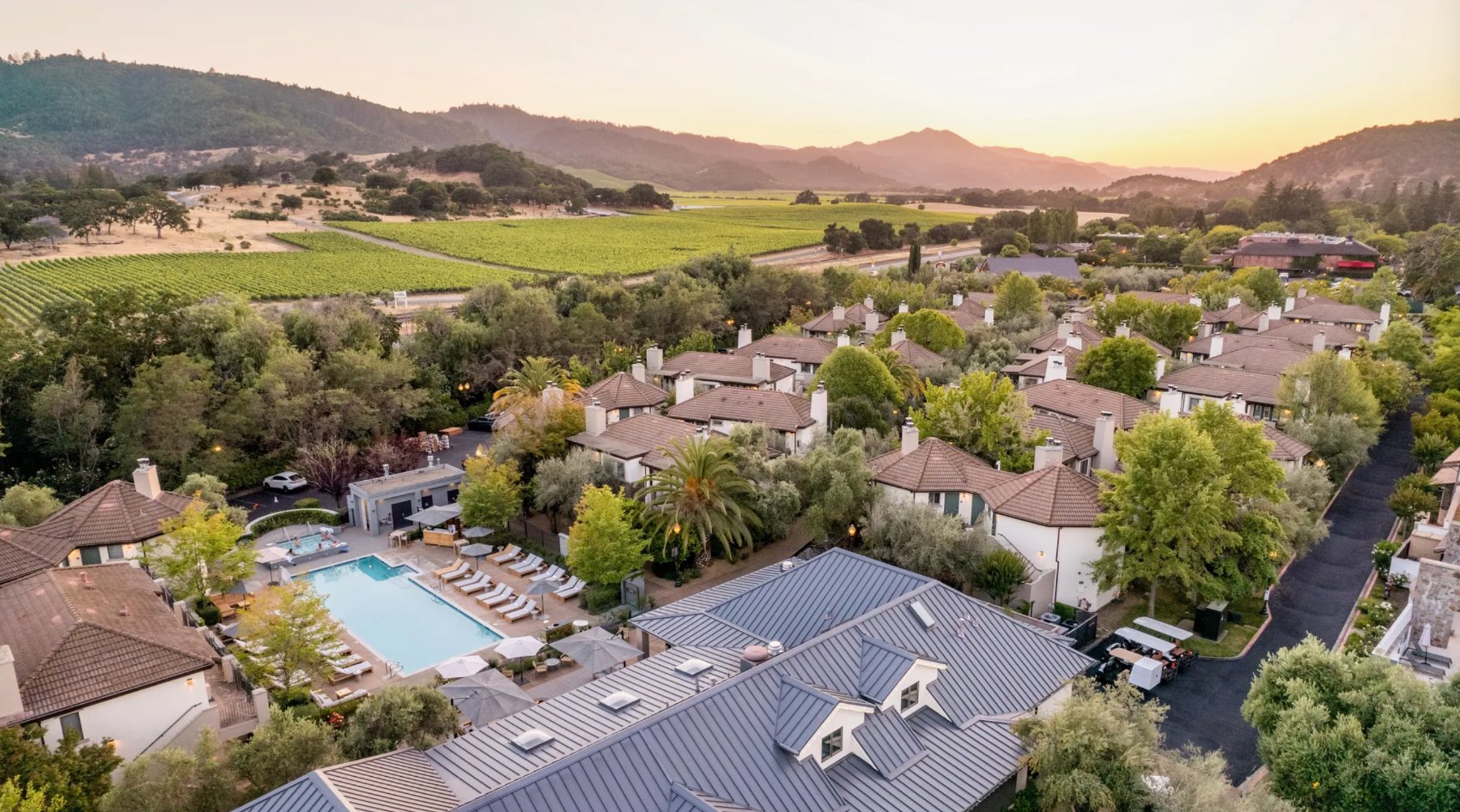
            <img src="uploads/The-Estate-Yountville.jpg" alt="The Estate Yountville" className="venue-img" />
          </a>
        </figure>

        <SectionHeader title="Schedule" />

        <div className="timeline" ref={timelineRef}>
          {rows.map((row, i) => {
            if (row.kind === "interlude") {
              const interludeContent =
              <div className="tl-side" style={{ ...{ padding: row.side === "left" ? "0px 28px 0px 0px" : "0px 0px 0px 28px", textAlign: row.side === "left" ? "right" : "left" }, padding: "0px 0px 0px 20px" }}>
                  <div className="tl-interlude-label" style={{ fontSize: "13px", letterSpacing: "0px" }}>5 Minute Walk to The Social</div>
                  <p className="tl-interlude-text" style={{ marginLeft: row.side === "left" ? "auto" : "0", marginRight: row.side === "left" ? "0" : "auto", color: "rgb(111, 111, 111)", fontSize: "17px", width: "284px" }}>{row.item.interlude}</p>
                </div>;
              return (
                <div key={i} className={`tl-row interlude ${row.side}`}>
                  {row.side === "left" ?
                  <>
                      {interludeContent}
                      <div className="tl-side tl-side-empty"></div>
                    </> :

                  <>
                      <div className="tl-side tl-side-empty"></div>
                      {interludeContent}
                    </>
                  }
                </div>);

            }
            const { item, side } = row;
            const illoSrc = SCHEDULE_ILLUSTRATIONS[item.title];
            const illo = illoSrc ?
            <div className="tl-side tl-illo" style={{ padding: "0px", margin: "0px 10px 0px 0px" }}>
                <img src={illoSrc} alt="" className="tl-illo-img" style={{ padding: "0px", margin: "0px 0px 0px 14px" }} />
              </div> :
            <div className="tl-side tl-side-empty"></div>;
            return (
              <div key={i} className={`tl-row ${side}`} style={{ padding: "22px 0px" }}>
                {side === "left" ?
                <>
                    <div className="tl-side event" style={{ borderWidth: "0px", borderStyle: "solid", textAlign: "right", margin: "0px", padding: "0px 20px 0px 0px", width: "303px" }}>
                      <h3 className="tl-title" style={{ fontFamily: "\"PP Editorial New\"", fontWeight: "400", fontSize: "22px", margin: "0px 0px 7px" }}>{item.title}</h3>
                      <div className="tl-meta" style={{ letterSpacing: "0px", fontSize: "13px", margin: "0px 0px 8px" }}>{item.time} / <span style={{ whiteSpace: "nowrap" }}>{item.loc}</span></div>
                      <p className="tl-desc" style={{ marginLeft: "auto", color: "rgb(111, 111, 111)", fontSize: "17px", margin: "0px", width: "286px" }}>{renderDesc(item.desc)}</p>
                    </div>
                    {illo}
                  </> :

                <>
                    {illo}
                    <div className="tl-side event" style={{ textAlign: "left", margin: "0px", padding: "0px 0px 0px 20px" }}>
                      <h3 className="tl-title" style={{ fontFamily: "\"PP Editorial New\"", fontWeight: "400", fontSize: "22px", margin: "0px 0px 7px" }}>{item.title}</h3>
                      <div className="tl-meta" style={{ letterSpacing: "0px", margin: "0px 0px 8px", fontSize: "13px" }}>{item.time} / <span style={{ whiteSpace: "nowrap" }}>{item.loc}</span></div>
                      <p className="tl-desc" style={{ color: "rgb(111, 111, 111)", fontSize: "17px", margin: "0px" }}>{renderDesc(item.desc)}</p>
                    </div>
                  </>
                }
              </div>);

          })}
        </div>

        <div style={{ marginTop: 100 }}>
          <SectionHeader title="Attire" />
          <div className="attire-wrap" style={{ width: "620px" }}>
            <p className="attire-text" style={{ fontSize: "20px" }}>Cocktail or garden party attire, where timeless elegance meets the romance of<br className="desktop-br" /> an autumn evening in Napa Valley.

            </p>
            <ul className="attire-list">
              <li style={{ color: "rgb(5, 5, 5)", fontSize: "20px" }}>Soft neutrals, muted tones, and classic silhouettes are welcome.</li>
              <li style={{ color: "rgb(5, 5, 5)", fontSize: "20px" }}>Please avoid white, ivory, and cream.</li>
              <li style={{ fontSize: "20px", color: "rgb(5, 5, 5)" }}>October evenings in Yountville can become cool after sunset, with temperatures
dropping to around 50°F (10°C). A light wrap or jacket is recommended.</li>
            </ul>
          </div>
        </div>
      </div>
    </section>);
}

// ─────────────────────────────────────────────────────────────
// Travel & Stay
// ─────────────────────────────────────────────────────────────
function HotelCard({ hotel }) {
  const Tag = hotel.url ? "a" : "div";
  const linkProps = hotel.url ? { href: hotel.url, target: "_blank", rel: "noreferrer" } : {};
  return (
    <Tag className="hotel-card" {...linkProps}>
      <h3 className="hotel-name" style={{ fontFamily: "\"PP Editorial New\"", color: "rgb(5, 5, 5)", margin: "10px 0px 4px" }}>{hotel.name}</h3>
      <div className="hotel-meta" style={{ letterSpacing: "0px" }}>Google Review {hotel.stars} / {hotel.distance} from venue</div>
      <p className="hotel-desc" style={{ fontSize: "17px", color: "rgb(111, 111, 111)" }}>{renderDesc(hotel.desc)}</p>
      {hotel.img ?
      <div className="hotel-img-wrap">
          <img src={hotel.img} alt={hotel.name} className="hotel-img-photo" />
        </div> :
      <div className="hotel-img-placeholder" aria-hidden="true" style={{ borderWidth: "1px" }}>
          <span className="hotel-img-label">Image</span>
        </div>
      }
    </Tag>);

}

function TravelStay({ data }) {
  return (
    <section id="travel" data-screen-label="Travel & Stay">
      <div className="container">
        <SectionDisplayTitle>Travel &amp; Stay</SectionDisplayTitle>

        <div className="travel-block" style={{ lineHeight: "1.3" }}>
          <p style={{ fontSize: "20px" }}>A rental car is recommended for exploring Napa Valley at your own pace.<br />
Most major car rental services, including Hertz, are available at<br />
San Francisco International Airport (SFO), approximately 1.5 hrs away.


          </p>
          <p style={{ fontSize: "20px" }}></p>
        </div>

        <div className="hotels-row">
          <div className="hotels">
            {[...data.hotels_yountville, ...data.hotels_napa].map((h, i) =>
            <HotelCard key={i} hotel={h} />
            )}
          </div>
        </div>
      </div>
    </section>);

}

// ─────────────────────────────────────────────────────────────
// Things to Do
// ─────────────────────────────────────────────────────────────
function PlaceList({ label, items, color }) {
  return (
    <div className="place-cat">
      {label &&
      <div className="place-cat-label" style={{ ...(color ? { color, borderColor: color } : null), letterSpacing: "0px", color: "rgb(159, 82, 62)", borderColor: "rgb(159, 82, 62)", fontSize: "13px", fontWeight: "600" }}>
        {label}
      </div>
      }
      {items.map((p, i) =>
      <div key={i} className="place-item">
          <h4 className="place-name" style={{ alignItems: "center", gap: "20px", fontFamily: "\"PP Editorial New\"", margin: "0px 0px 6px" }}>
            {p.links ?
          <span className="place-name-multi">
                {p.links.map((lk, j) =>
            <React.Fragment key={j}>
                    {j > 0 && <span className="place-sep">/</span>}
                    <a href={lk.url} target="_blank" rel="noreferrer" className="place-name-link">{lk.name}</a>
                  </React.Fragment>
            )}
              </span> :
          p.url ?
          <a href={p.url} target="_blank" rel="noreferrer" className="place-name-link">{p.name}</a> :
          p.name}
          </h4>
          <p className="place-desc" style={{ color: "rgb(111, 111, 111)", fontSize: "17px" }}>{p.desc}</p>
        </div>
      )}
    </div>);

}

function ThingsToDo({ data }) {
  return (
    <section id="things" className="todo-bg" data-screen-label="Things to Do">
      <div className="container">
        <SectionDisplayTitle>Things to Do</SectionDisplayTitle>
        <p style={{ textAlign: "center", fontFamily: "var(--f-serif)", color: "var(--ink-1)", maxWidth: 720, margin: "0 auto 1.2em", fontSize: "20px", lineHeight: "1.3", width: "704px" }}>We chose Napa Valley in hopes of creating a wedding weekend that feels like a little getaway for the people we love, especially for those traveling from afar. Beyond the wedding itself,
we hope you'll have time to slow down and enjoy everything this beautiful valley has to offer, from world-class wine to breathtaking vineyard views.
        </p>
        <p style={{ textAlign: "center", fontFamily: "var(--f-serif)", color: "var(--ink-1)", maxWidth: 720, margin: "0 auto 56px", fontSize: "20px", lineHeight: "1.3", width: "540px" }}>Every recommendation below is a place Mia and Joe have
personally visited and loved over the years!
        </p>
        

        <div className="place-grid">
          <div className="place-col">
            <PlaceList label="Yountville" items={[...data.yountville_food, ...data.yountville_todo]} color="var(--terra)" />
          </div>
          <div className="place-col">
            <PlaceList label="Napa" items={[...data.napa_food, ...data.napa_todo]} color="var(--terra)" />
            <PlaceList label="Wineries" items={data.napa_wine} color="var(--wine)" />
          </div>
        </div>

        <div style={{ textAlign: "center", marginTop: 60 }}>
          <p className="body" style={{ maxWidth: 620, margin: "0 auto 24px", fontFamily: "\"PP Editorial New\"", fontStyle: "italic", fontWeight: "300", width: "800px", lineHeight: "1.5", fontSize: "25px", color: "rgb(0, 0, 0)" }}>For more suggestions, feel free to reach out to Mia at jmink0412@gmail.com!


          </p>
        </div>
      </div>
    </section>);

}

// ─────────────────────────────────────────────────────────────
// Registry
// ─────────────────────────────────────────────────────────────
function Registry() {
  return (
    <section id="registry" className="registry-section" data-screen-label="Registry">
      <div className="container-narrow">
        <h2 className="section-display-title" style={{ color: "var(--bg-cream)", fontFamily: '"PP Editorial New"', fontWeight: 350, letterSpacing: "-1px", fontSize: "50px" }}>Registry</h2>

        <p className="body-lg" style={{ color: "rgba(252,247,242,0.85)", maxWidth: 780, margin: "32px auto 0", textAlign: "center", lineHeight: "1.3", fontSize: "20px", width: "auto" }}>Your presence at our wedding is the greatest gift of all. But if you'd like to celebrate with us
a little longer, we've created a honeymoon fund :)</p>

        <div className="registry-card-row">
          <img src="uploads/Funding-1.png" alt="" className="registry-illo registry-illo-left" />
          <div className="registry-card" style={{ margin: "0px" }}>
            <div className="eyebrow-sm" style={{ color: "rgba(252,247,242,0.6)", letterSpacing: "0px", fontFamily: "\"Sohne Breit\"" }}>

            </div>
            <div style={{ height: 16 }} />
            <h3 className="registry-card-title" style={{ color: "var(--bg-cream)", fontStyle: "normal", margin: "0 0 28px 0", lineHeight: 1.2, fontFamily: "\"PP Editorial New\"", fontSize: "30px", fontWeight: "200" }}>Mia and Joe's<br />Honeymoon Fund</h3>
            <a className="btn" href="https://www.honeyfund.com/site/Mia-Joe-10-10-2026" target="_blank" rel="noreferrer" style={{ letterSpacing: "0px" }}>
              Visit Honeymoon Fund
            </a>
          </div>
          <img src="uploads/Funding-2.png" alt="" className="registry-illo registry-illo-right" />
        </div>
      </div>
    </section>);
}

// ─────────────────────────────────────────────────────────────
// FAQs
// ─────────────────────────────────────────────────────────────
function FAQs({ data }) {
  const [openSet, setOpenSet] = useState(() => new Set());
  const toggle = (i) => {
    setOpenSet((prev) => {
      const next = new Set(prev);
      if (next.has(i)) next.delete(i);else next.add(i);
      return next;
    });
  };
  return (
    <section id="faqs" data-screen-label="FAQs">
      <div className="container-narrow">
        <SectionDisplayTitle>FAQs</SectionDisplayTitle>
        <p style={{ textAlign: "center", fontStyle: "italic", maxWidth: 540, margin: "0 auto 56px", fontFamily: "\"PP Editorial New\"", fontWeight: "300", fontSize: "25px", lineHeight: "1.5", color: "rgb(0, 0, 0)" }}>If something isn't covered here, <br className="mobile-br" />please reach out for help!

        </p>
        
        <div className="faq-list">
          {data.faqs.map((f, i) =>
          <div key={i} className={"faq-item" + (openSet.has(i) ? " open" : "")}>
              <button
              className="faq-btn"
              onClick={() => toggle(i)}
              aria-expanded={openSet.has(i)} style={{ alignItems: "center", gap: "5px" }}>
              
                <span className="faq-num" style={{ letterSpacing: "0px" }}>{String(i + 1).padStart(2, "0")}</span>
                <span style={{ flex: 1 }}>{f.q}</span>
                <span className="faq-toggle"></span>
              </button>
              <div className="faq-body">
                <div className="faq-body-inner" dangerouslySetInnerHTML={{ __html: f.a }} />
              </div>
            </div>
          )}
        </div>
      </div>
    </section>);

}

// ─────────────────────────────────────────────────────────────
// RSVP Form
// ─────────────────────────────────────────────────────────────
function RSVP() {
  const [form, setForm] = useState({
    name: "",
    email: "",
    attending: "",
    guests: 1,
    meal: "",
    dietary: "",
    song: "",
    note: ""
  });
  const [submitted, setSubmitted] = useState(false);
  const [sending, setSending] = useState(false);
  const [isMobile, setIsMobile] = useState(false);

  React.useEffect(() => {
    const mq = window.matchMedia("(max-width: 820px)");
    const apply = () => setIsMobile(mq.matches);
    apply();
    mq.addEventListener("change", apply);
    return () => mq.removeEventListener("change", apply);
  }, []);

  const update = (key, v) => setForm((f) => ({ ...f, [key]: v }));

  // Paste your Google Apps Script Web App URL here (see setup steps).
  // Leave as "" to keep the form working without saving anywhere.
  const SHEET_ENDPOINT = "https://script.google.com/macros/s/AKfycbzgF_ydwGyHW2V_aQPp3l_ygb-c_9PtOnTQdraB_wOTndzom0kKzbEDoBE4Sz_G1rsH/exec";

  const onSubmit = (e) => {
    e.preventDefault();
    if (SHEET_ENDPOINT) {
      setSending(true);
      const payload = {
        timestamp: new Date().toISOString(),
        name: form.name,
        email: form.email,
        attending: form.attending,
        guests: form.attending === "yes" ? form.guests : "",
        meal: form.attending === "yes" ? form.meal : "",
        dietary: form.attending === "yes" ? form.dietary : "",
        song: form.attending === "yes" ? form.song : "",
        note: form.note
      };
      // no-cors + urlencoded body => Apps Script accepts it without a CORS preflight
      fetch(SHEET_ENDPOINT, {
        method: "POST",
        mode: "no-cors",
        headers: { "Content-Type": "application/x-www-form-urlencoded" },
        body: new URLSearchParams(payload).toString()
      }).catch(() => {/* swallow — we still thank the guest */});
    }
    setSubmitted(true);
    setSending(false);
    window.scrollTo({ top: document.getElementById("rsvp").offsetTop - 80, behavior: "smooth" });
  };

  if (submitted) {
    return (
      <section id="rsvp" className="rsvp-section" data-screen-label="RSVP">
        <div className="container-narrow">
          <SectionHeader eyebrow="Thank You" title="RSVP" />
          <div className="rsvp-success" style={{ backgroundColor: "rgb(240, 234, 216)" }}>
            <div className="display-2" style={{ fontStyle: "italic", marginBottom: 16, fontFamily: "\"PP Editorial New\"", fontWeight: "300", color: "rgb(57, 24, 23)", lineHeight: "1.15", letterSpacing: "-3px" }}>
              Thank you, {form.name.split(" ")[0] || "friend"}.
            </div>
            <p className="body-lg" style={{ marginTop: 0, whiteSpace: "pre-line" }}>
              {form.attending === "yes" ?
              "We've received your RSVP and can't wait to celebrate with you on October 10th." :
              "Thank you for letting us know. We'll miss you on October 10th,\nbut appreciate you so much."}
            </p>
            <button className="btn" style={{ marginTop: 24, backgroundColor: "rgb(57, 24, 23)", color: "rgb(255, 255, 255)", letterSpacing: "0px" }} onClick={() => setSubmitted(false)}>
              Edit response
            </button>
          </div>
        </div>
      </section>);

  }

  return (
    <section id="rsvp" className="rsvp-section" data-screen-label="RSVP">
      <div className="container-narrow">
        <SectionDisplayTitle>RSVP</SectionDisplayTitle>
        <p style={{ textAlign: "center", fontStyle: "italic", maxWidth: 540, margin: "0 auto 56px", lineHeight: 1.6, fontSize: "22px", fontWeight: "300", fontFamily: "\"PP Editorial New\"", color: "rgb(0, 0, 0)" }}>Please RSVP by August 31st. <br className="mobile-br" />We'd love to hear from you soon.

        </p>
        

        <form className="form" onSubmit={onSubmit}>
          <div className="form-row-2">
            <div className="form-row">
              <label htmlFor="rsvp-name" style={{ letterSpacing: "0px" }}>Full Name</label>
              <input
                id="rsvp-name"
                type="text"
                required
                value={form.name}
                onChange={(e) => update("name", e.target.value)}
                placeholder="Your full name" />
              
            </div>
            <div className="form-row">
              <label htmlFor="rsvp-email" style={{ letterSpacing: "0px" }}>Email Address</label>
              <input
                id="rsvp-email"
                type="email"
                required
                value={form.email}
                onChange={(e) => update("email", e.target.value)}
                placeholder="you@example.com" />
              
            </div>
          </div>

          <div className="form-row">
            <label style={{ letterSpacing: "0px", padding: "0px 0px 7px" }}>Will you be attending?</label>
            <div className="pill-group" style={{ gap: "20px" }}>
              <button
                type="button"
                className={"pill" + (form.attending === "yes" ? " selected attending" : "")}
                onClick={() => update("attending", "yes")} style={{ letterSpacing: "0px" }}>
                
                ✓ Yes, I'll be there
              </button>
              <button
                type="button"
                className={"pill" + (form.attending === "no" ? " selected declining" : "")}
                onClick={() => update("attending", "no")} style={{ letterSpacing: "0px" }}>
                
                Regretfully decline
              </button>
            </div>
          </div>

          {form.attending === "yes" &&
          <div className="rsvp-yes-section" style={{ letterSpacing: "0px", display: "flex", flexDirection: "column", gap: "28px" }}>
              <div className="form-row-2">
                <div className="form-row">
                  <label style={{ letterSpacing: "0px", padding: "0px 0px 7px" }}>Number of Guests</label>
                  <div>
                    <div className="number-stepper" style={{ width: "140px", borderWidth: "1px" }}>
                      <button type="button" onClick={() => update("guests", Math.max(1, form.guests - 1))} style={{ padding: "10px 0px" }}>−</button>
                      <span>{form.guests}</span>
                      <button type="button" onClick={() => update("guests", Math.min(4, form.guests + 1))} style={{ padding: "10px 0px" }}>+</button>
                    </div>
                  </div>
                </div>
              </div>

              <div className="form-row" style={{ gap: "8px" }}>
                <label style={{ letterSpacing: "0px", padding: "0px 0px 7px" }}>Meal Preference</label>
                <div className="pill-group" style={{ flexWrap: "wrap" }}>
                  {["Beef", "Fish", "Vegetarian", "Vegan"].map((m) =>
                <button
                  key={m}
                  type="button"
                  className={"pill" + (form.meal === m ? " selected" : "")}
                  onClick={() => update("meal", m)} style={{ letterSpacing: "0px" }}>
                    
                      {m}
                    </button>
                )}
                </div>
              </div>

              <div className="form-row">
                <label htmlFor="rsvp-diet" style={{ padding: "27px 0px 0px", letterSpacing: "0px" }}>Dietary Restrictions or Allergies</label>
                <textarea
                id="rsvp-diet"
                rows={2}
                value={form.dietary}
                onChange={(e) => update("dietary", e.target.value)}
                placeholder={isMobile ? "Let us know if anything — and please add\nyour guest's meal preference if you have one." : "Let us know if anything — and please add your guest's meal preference if you have one."} />
              
              </div>

              <div className="form-row" style={{ padding: "27px 0px 0px" }}>
                <label htmlFor="rsvp-song" style={{ letterSpacing: "0px" }}>Song Request</label>
                <input
                id="rsvp-song"
                type="text"
                value={form.song}
                onChange={(e) => update("song", e.target.value)}
                placeholder="Is there a song that would get you on the dance floor?" />
              
              </div>
            </div>
          }

          <div className="form-row" style={{ margin: "0px" }}>
            <label htmlFor="rsvp-note" style={{ letterSpacing: "0px" }}>A Note or Wish for the Couple</label>
            <textarea
              id="rsvp-note"
              value={form.note}
              onChange={(e) => update("note", e.target.value)}
              placeholder="Anything you'd like to share with Mia & Joe" style={{ height: "50px", padding: "5px 0px 10px" }} />
            
          </div>

          <div className="form-submit">
            <button type="submit" className="btn btn-wine" style={{ letterSpacing: "0px" }}>Send RSVP</button>
          </div>
        </form>
      </div>
    </section>);

}

// ─────────────────────────────────────────────────────────────
// Footer
// ─────────────────────────────────────────────────────────────
function Footer() {
  return (
    <footer className="footer">
      <div className="footer-headline" style={{ fontFamily: "\"PP Editorial New\"", fontStyle: "italic", lineHeight: "1.1", fontWeight: "300", padding: "0px", textAlign: "center" }}>We can't wait to see you!</div>
      <img src="uploads/Heart.png" alt="" className="footer-hearts" style={{ margin: "26px auto -60px" }} />
      <div className="footer-credit" style={{ letterSpacing: "0px", fontSize: "14px" }}>Made with love · miaandjoewedding.com</div>
    </footer>);

}

// Export to global scope
Object.assign(window, {
  Nav, Hero, OurStory, TheBigDay, TravelStay, ThingsToDo,
  Registry, FAQs, RSVP, Footer, SectionHeader, SectionDisplayTitle, Monogram
});

// ─────────────────────────────────────────────────────────────
// Main App
// ─────────────────────────────────────────────────────────────
const WEDDING_DATA = JSON.parse(document.getElementById("wedding-data").textContent);

const TWEAK_DEFAULTS = /*EDITMODE-BEGIN*/{
  "accentPalette": "wine",
  "displayFont": "Bodoni Moda",
  "showCountdown": true
} /*EDITMODE-END*/;

const ACCENT_PALETTES = {
  wine: { wine: "#4C0000", terra: "#9F523E", olive: "#757153", sage: "#AC9D60" },
  terra: { wine: "#9F523E", terra: "#9F523E", olive: "#757153", sage: "#AC9D60" },
  olive: { wine: "#757153", terra: "#9F523E", olive: "#757153", sage: "#AC9D60" },
  cocoa: { wine: "#391817", terra: "#796D51", olive: "#757153", sage: "#AC9D60" },
  rose: { wine: "#9F523E", terra: "#C9A8A2", olive: "#AC9D60", sage: "#D9BFBA" }
};

const DISPLAY_FONTS = {
  "Bodoni Moda": '"Bodoni Moda", serif',
  "Italiana": '"Italiana", serif',
  "Cormorant": '"Cormorant Garamond", serif',
  "EB Garamond": '"EB Garamond", serif'
};

function useScrollSpy(ids, offset = 120) {
  const [active, setActive] = useState(null);
  useEffect(() => {
    const onScroll = () => {
      const y = window.scrollY + offset;
      let current = null;
      for (const id of ids) {
        const el = document.getElementById(id);
        if (el && el.offsetTop <= y) current = id;
      }
      setActive(current);
    };
    window.addEventListener("scroll", onScroll, { passive: true });
    onScroll();
    return () => window.removeEventListener("scroll", onScroll);
  }, [ids.join(",")]);
  return active;
}

function ScrollTopButton() {
  const [visible, setVisible] = useState(false);
  useEffect(() => {
    const onScroll = () => setVisible(window.scrollY > 400);
    onScroll();
    window.addEventListener("scroll", onScroll, { passive: true });
    return () => window.removeEventListener("scroll", onScroll);
  }, []);
  return (
    <button
      type="button"
      className={"scroll-top-btn" + (visible ? " visible" : "")}
      aria-label="Back to top"
      onClick={() => window.scrollTo({ top: 0, behavior: "smooth" })}>
      <svg width="14" height="14" viewBox="0 0 14 14" fill="none" aria-hidden="true">
        <path d="M7 11.5V2.5M7 2.5L3 6.5M7 2.5L11 6.5" stroke="currentColor" strokeWidth="1.2" strokeLinecap="round" strokeLinejoin="round" />
      </svg>
    </button>);

}

function InvitationIntro() {
  const [phase, setPhase] = useState("show"); // show -> fade -> done
  useEffect(() => {
    if (window.matchMedia && window.matchMedia("(prefers-reduced-motion: reduce)").matches) {
      setPhase("done");
      return;
    }
    document.body.style.overflow = "hidden";
    const t1 = setTimeout(() => setPhase("fade"), 2000);
    const t2 = setTimeout(() => {
      setPhase("done");
      document.body.style.overflow = "";
    }, 3000);
    return () => {
      clearTimeout(t1);clearTimeout(t2);
      document.body.style.overflow = "";
    };
  }, []);
  if (phase === "done") return null;
  return (
    <div className={"invite-intro" + (phase === "fade" ? " fade" : "")} aria-hidden="true">
      <div className="invite-caption">You're Invited</div>
      <div className="invite-card-wrap">
        <img src="uploads/invite-card.jpg" alt="" className="invite-card-img" />
      </div>
    </div>);

}

function App() {
  const [t, setTweak] = useTweaks(TWEAK_DEFAULTS);
  const active = useScrollSpy(["story", "bigday", "travel", "things", "registry", "faqs", "rsvp"]);

  useEffect(() => {
    const root = document.documentElement;
    const palette = ACCENT_PALETTES[t.accentPalette] || ACCENT_PALETTES.wine;
    root.style.setProperty("--wine", palette.wine);
    root.style.setProperty("--terra", palette.terra);
    root.style.setProperty("--olive", palette.olive);
    root.style.setProperty("--sage", palette.sage);
    root.style.setProperty("--f-display", DISPLAY_FONTS[t.displayFont] || DISPLAY_FONTS["Bodoni Moda"]);
  }, [t.accentPalette, t.displayFont]);

  return (
    <>
      <Nav activeSection={active} />
      <main>
        <Hero showCountdown={t.showCountdown} />
        <OurStory />
        <TheBigDay data={WEDDING_DATA} />
        <TravelStay data={WEDDING_DATA} />
        <ThingsToDo data={WEDDING_DATA} />
        <Registry />
        <FAQs data={WEDDING_DATA} />
        <RSVP />
      </main>
      <Footer />
      <ScrollTopButton />
      <InvitationIntro />


      <TweaksPanel title="Tweaks">
        <TweakSection label="Color & Palette" />
        <TweakRadio
          label="Accent palette"
          value={t.accentPalette}
          options={["wine", "terra", "olive", "cocoa", "rose"]}
          onChange={(v) => setTweak("accentPalette", v)} />
        
        <TweakSection label="Typography" />
        <TweakSelect
          label="Display font"
          value={t.displayFont}
          options={Object.keys(DISPLAY_FONTS)}
          onChange={(v) => setTweak("displayFont", v)} />
        
        <TweakSection label="Hero" />
        <TweakToggle
          label="Show countdown"
          value={t.showCountdown}
          onChange={(v) => setTweak("showCountdown", v)} />
        
      </TweaksPanel>
    </>);

}

ReactDOM.createRoot(document.getElementById("root")).render(<App />);